How a Browser Works: A Beginner-Friendly Guide to Browser Internals

What Is a Browser (Beyond “It Opens Websites”)?
A browser is:
A software system that fetches, understands, and displays web content.
It doesn’t just show text.
It acts like a:
Downloader
Translator
Builder
Painter
Security guard
All at the same time.
You give it:
HTML + CSS + JavaScript
The browser turns that into:
Pixels on your screen
Main Parts of a Browser (High-Level Overview)


4
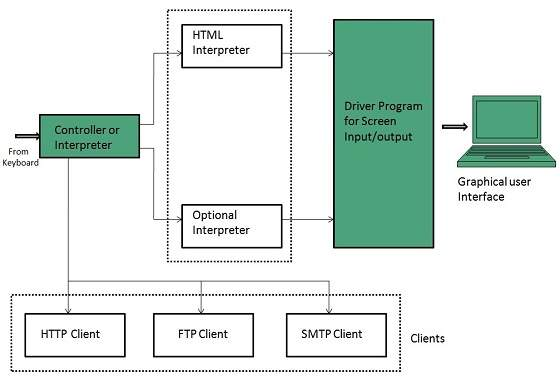
A browser is made of several major components:
User Interface (UI)
Browser Engine
Rendering Engine
Networking Layer
JavaScript Engine
Data Storage
Think of this as a team, where each part has a specific job.
User Interface (UI)
This is everything you directly interact with:
Address bar
Back / Forward buttons
Refresh button
Tabs
Bookmarks
The UI:
Takes your input
Sends instructions to the browser engine
It does NOT understand HTML or CSS.
⚙️ Browser Engine vs Rendering Engine
Browser Engine
Acts as a manager.
Receives commands from UI
Tells rendering engine what to load
Coordinates networking, JS engine, storage
Rendering Engine
Acts as a builder & painter.
Parses HTML
Parses CSS
Builds structures
Calculates layout
Paints pixels
Simple Analogy
Browser Engine → Project Manager
Rendering Engine → Construction Workers
Networking: How Files Are Fetched
When you enter:
https://example.com
The browser:
Finds server IP using DNS
Opens connection
Sends request
Receives response
Response contains:
HTML file
CSS files
JS files
Images, fonts, videos
These are downloaded in parallel.
Think of networking as:
A delivery service bringing raw materials.
📄 HTML Parsing & DOM Creation
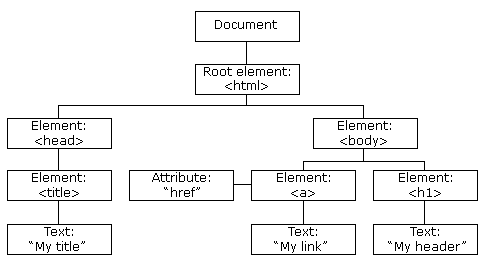


HTML is plain text:
<body>
  <h1>Hello</h1>
  <p>World</p>
</body>
Browser converts this text into a DOM tree.
What Is DOM?
Document Object Model
A tree-like representation of the page.
Example Tree:
Document
 └── body
      ├── h1
      │    └── "Hello"
      └── p
           └── "World"
Why Tree?
Because elements are nested.
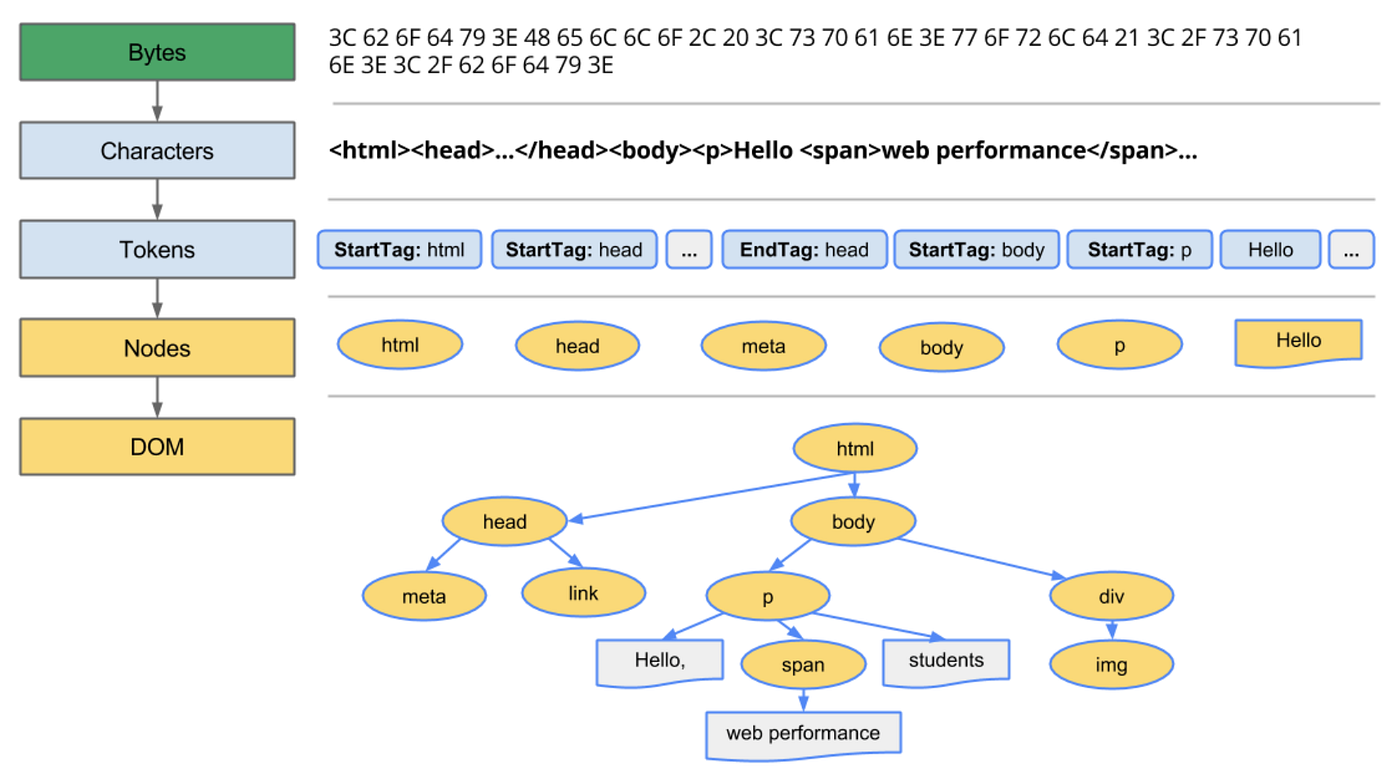
Parsing means:
➡️ Read characters
➡️ Identify tags
➡️ Create nodes
➡️ Connect parent-child relationships
🎨 CSS Parsing & CSSOM Creation

CSS file:
h1 { color: red; }
p  { font-size: 20px; }
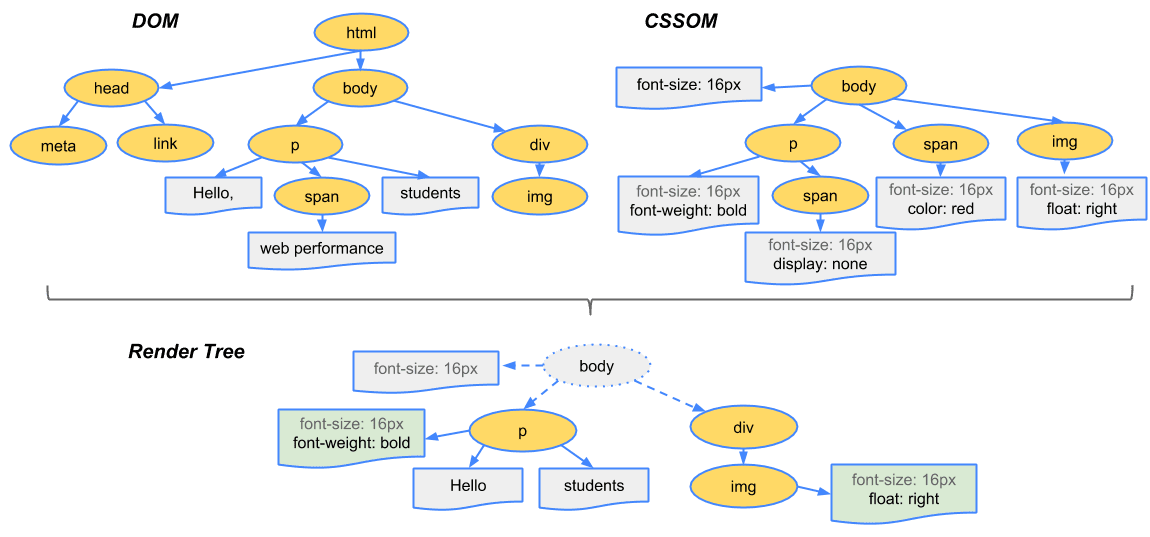
Browser builds CSSOM (CSS Object Model).
Example:
CSSOM
 ├── h1 → color: red
 └── p  → font-size: 20px
CSSOM is also a tree structure.
Why?
Because CSS has inheritance and cascading rules.
DOM + CSSOM → Render Tree
Browser combines:
DOM + CSSOM = Render Tree
Render Tree contains:
Only visible elements
Each node has style information
Example:
h1 (color:red)
p  (font-size:20px)
Hidden elements like:
display: none;
❌ Not included.
📐 Layout (Reflow)

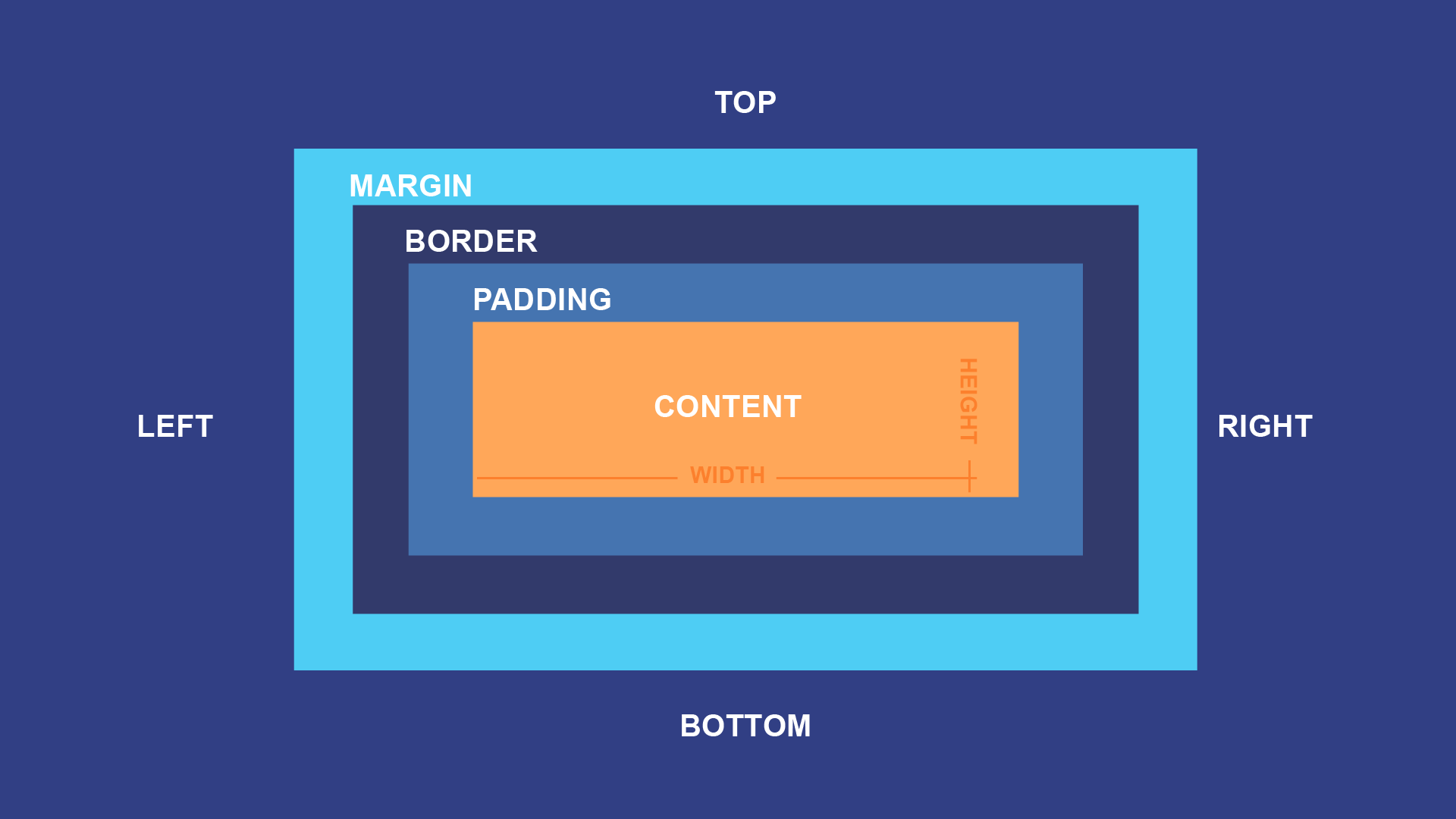
Browser calculates:
Width
Height
Position (x, y)
For every element.
This step answers:
👉 Where should each box appear?
This is also called Reflow.
If you change size, margin, or font:
➡️ Reflow may happen again.
Painting
After layout:
Browser paints pixels:
Backgrounds
Text
Borders
Images
Like painting layers on canvas.
Display (Compositing)
Finally:
All painted layers are combined and pushed to the screen.
You see the page 🎉
Very Basic Idea of Parsing (Simple Example)
Parsing means:
👉 Turning text into structure.
Example:
2 + 3 * 4
Parser builds:
     +
    / \
   2   *
      / \
     3   4
Why?
Because multiplication has higher priority.
Similarly:
HTML:
<div><p>Hello</p></div>
Becomes:
div
 └── p
      └── Hello
Parsing = understanding structure, not just reading characters.
Full Flow: From URL to Pixels

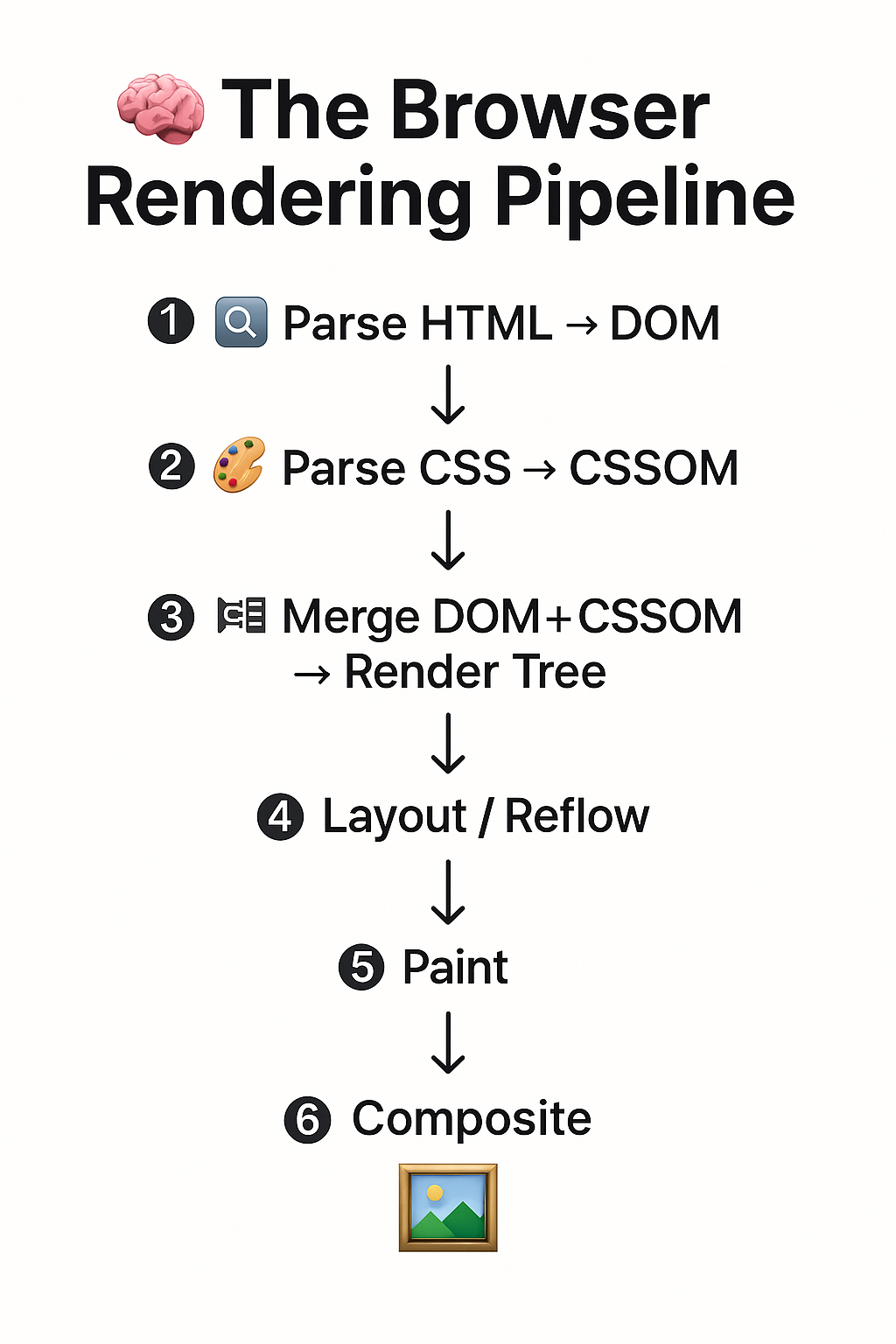

5
Type URL
   ↓
Networking (download files)
   ↓
HTML → DOM
CSS → CSSOM
   ↓
DOM + CSSOM → Render Tree
   ↓
Layout (positions & sizes)
   ↓
Paint
   ↓
Display on Screen
Where JavaScript Fits
JS can modify DOM
JS can modify CSS
JS can block HTML parsing
That’s why:
<script defer>
or
<script async>
is often used.


